
DKP System
Information
-
DKP Group, where Raid Boss drops can be sold or auctioned within the clan.

-
Your clan leader can register items for an auction or a shop, which consume DKP points earned by taking part in clan activities.

Invite Players
-
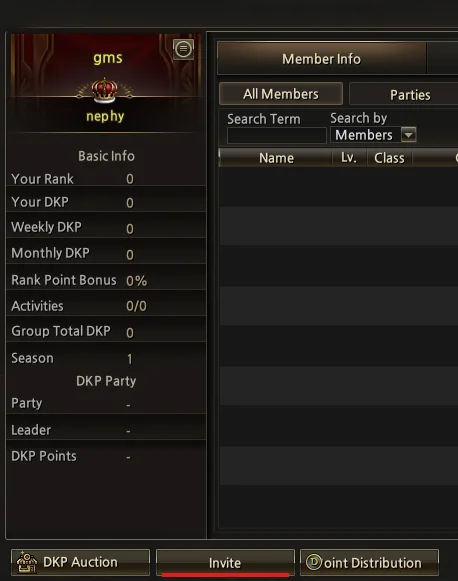
To add a member of your clan to the DKP table, you need to invite them.
-
The stronger your gear, the more points you end up earning.

Invite CC
-
Here you invite all the parties taking part in your DKP to the CC.
History
-
Here you can get information about all players.
-
Members, Activities, Drops, DKP Shop, DKP Auction, Loot Council
-
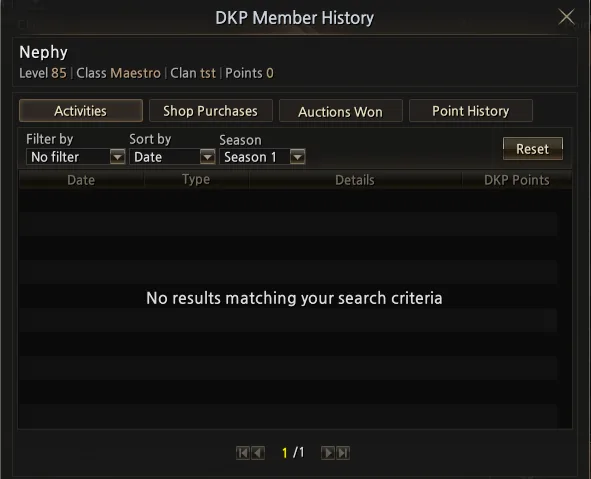
Double-clicking a member opens a window with that player's specific information.
-
You (Leader) can see the individual data of players and their parties.
-
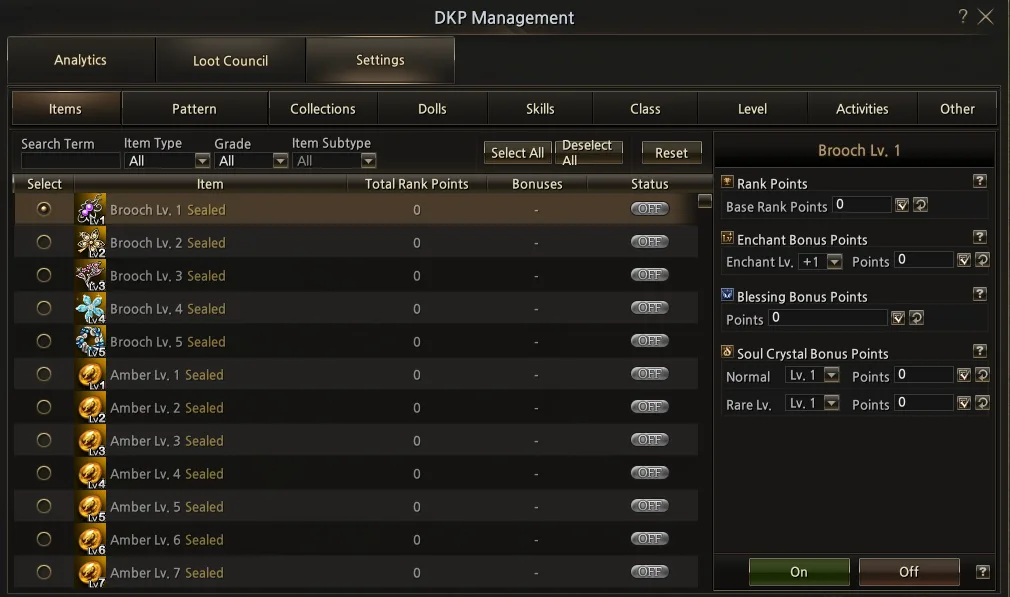
In the Settings tab you can set Rank Points for items, skills, classes, patterns and collections.
-
You can configure how many points each player earns in a clan event.
-
Rank, Bid and Register.
-
New DKP system, with a more complete interface.
-
To add a member to your DKP list, just target them and click INVITE.
-
Click Points Distribution.
-
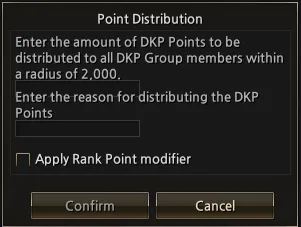
A window will open with information for distributing points within a range, plus an option for the points. The selectable box modifies the points received according to their Rank.
Auction and Shop
-
This is where the clan Shop and its auctions take place.
-
Click DKP Auction.
-
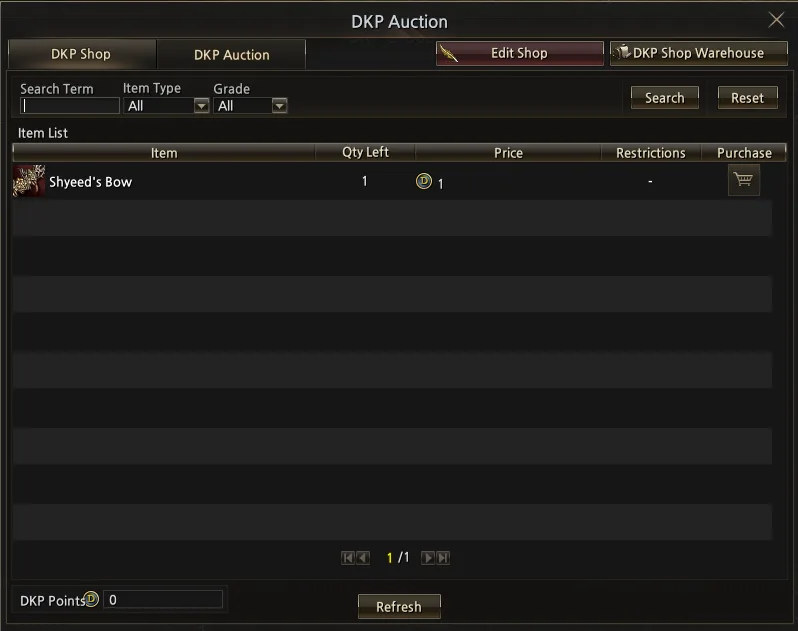
You will have access to the shop page, where you can spend your DKP points and get items.
-
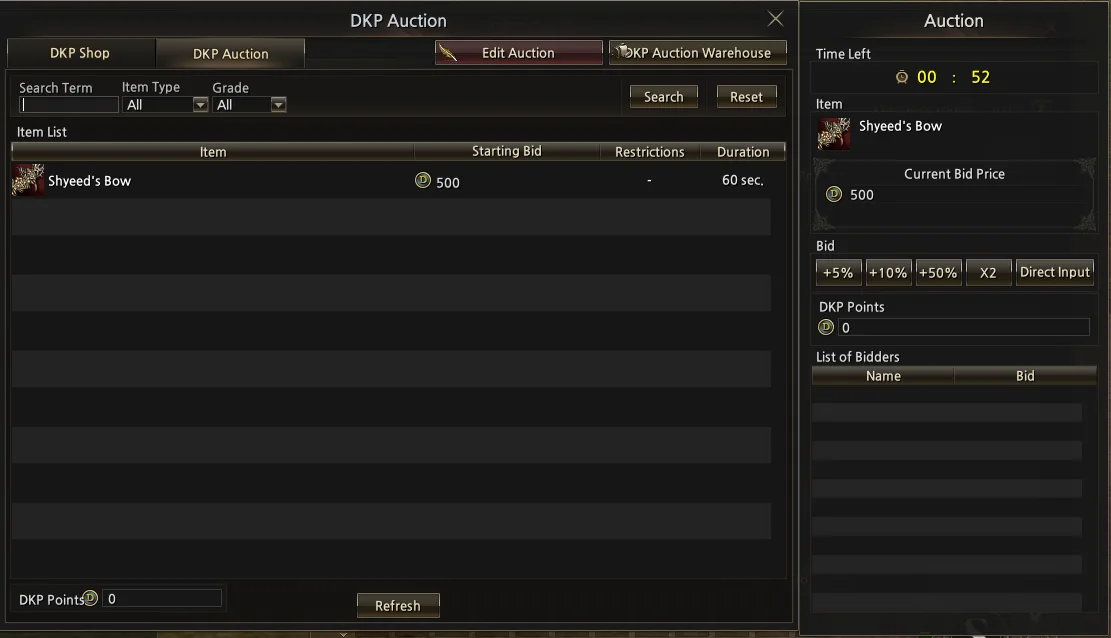
By clicking the DKP Auction tab, you will have access to your clan's auction.
Shop and Auction Settings
-
Click DKP Auction.
-
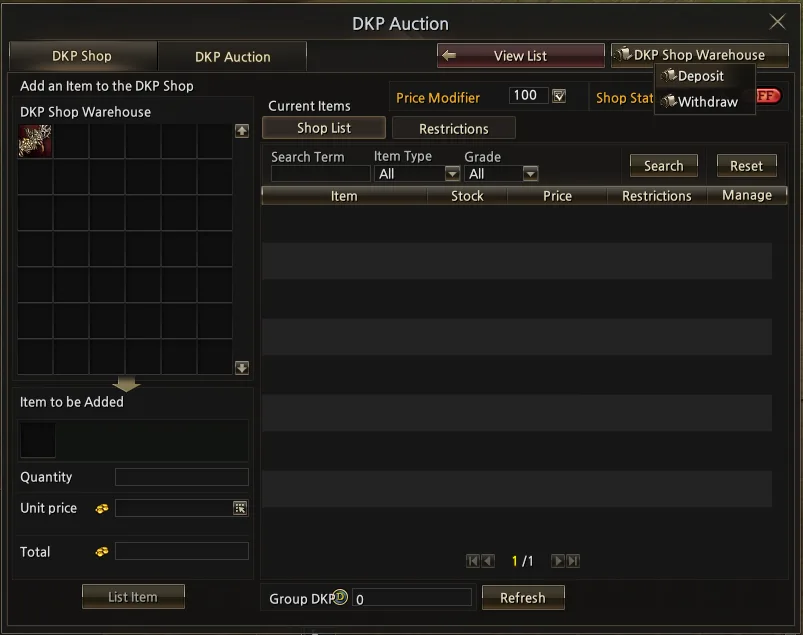
You can place your items in the Warehouse DKP Shop and the Warehouse DKP Auction.
-
The item will appear in the upper-left corner, as shown in the screenshot.
-
By double-clicking, you can add the item to the shop list and set the desired price.
-
In the Restrictions tab you can restrict classes from acquiring the item.
Auction
-
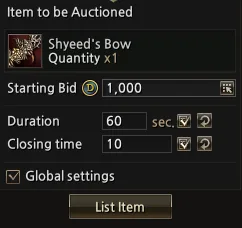
Here you can select the auction's starting price, its duration and its closing time.
-
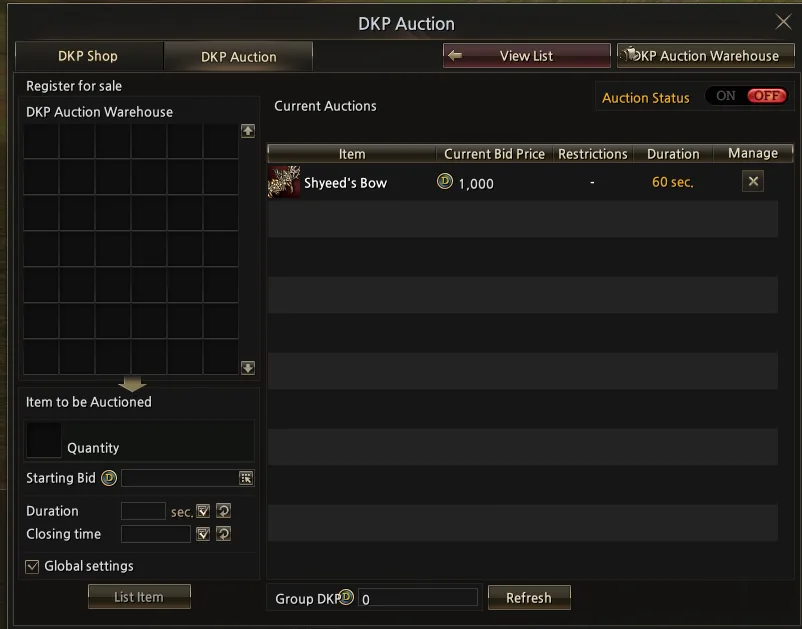
After registering the item, click Auction status to start the auction; the shop tab has the same button for opening the clan shop.
-